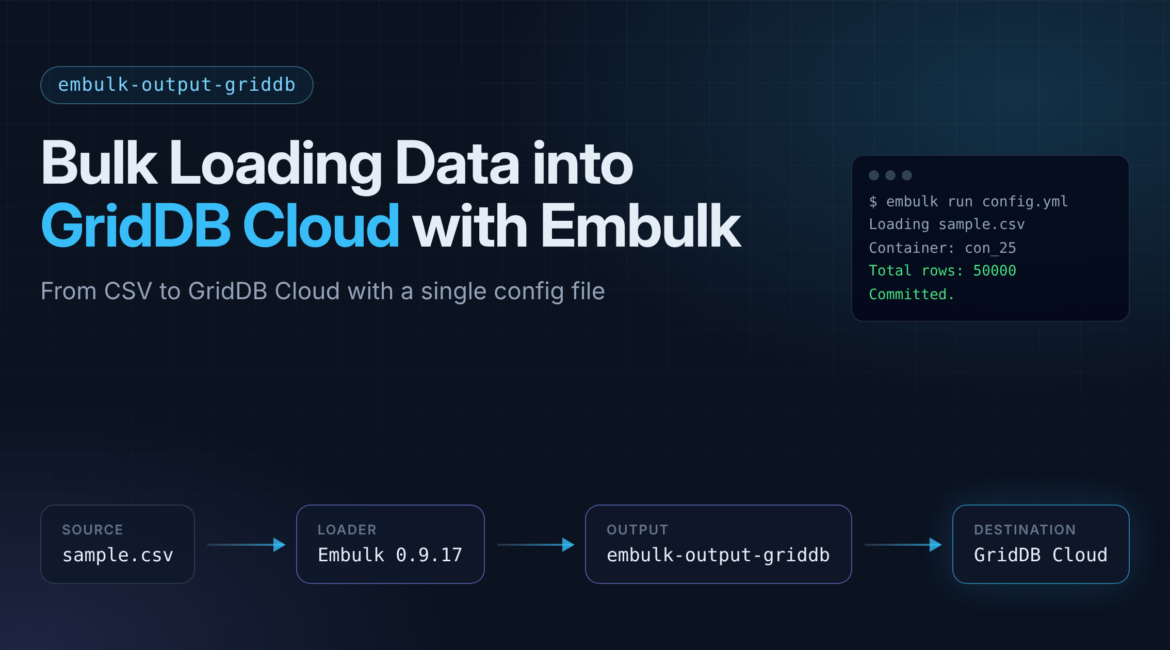
Embulk is an open-source bulk data loader that moves records between databases, storage services, and file formats using plugins. GridDB has an official Embulk output plugin, embulk-output-griddb, which lets you load data from any Embulk input source (CSV files, other databases, cloud storage) straight into GridDB containers.
The plugin was written back in the Embulk 0.9 days, and getting it built and running in 2026 takes some work. The Maven repositories it depends on have shut down, it needs Java 8, and connecting to GridDB Cloud has some networking requirements that aren’t obvious at first. This post goes through the whole process, from a fresh download to 50,000 rows sitting in a GridDB Cloud container, including every problem we ran into along the way.
Here’s the pipeline we’re building:
sample.csv --> Embulk (csv parser) --> embulk-output-griddb --> GridDB CloudPrerequisites
- Java 8. Embulk 0.9.x runs on JRuby and won’t start on Java 11 or newer. Don’t try to get around this by using a newer Embulk (0.11/1.0). The plugin loading model changed completely in 0.10+, and this plugin relies on
embulk-coreAPIs that don’t exist there anymore. - Embulk 0.9.17. Download the jar from the Embulk GitHub releases page.
- The
embulk-output-griddbsource, which comes with three jars in itslib/directory:gridstore.jar,gridstore-jdbc.jar, andgriddb-tools-common.jar. - A GridDB Cloud instance, or a self-hosted cluster. We’ll get into the difference below.
If you use SDKMAN, installing Java 8 is one command:
$ sdk install java 8.0.402-tem
SDKMAN also sets JAVA_HOME, which matters more than whatever java is on your PATH. Gradle reads JAVA_HOME directly, and the Gradle 4.1 wrapper this project uses can’t even parse the version string of a modern JDK. If you see this:
Could not determine java version from '21.0.4'.
then JAVA_HOME is pointing at the wrong JDK, even if java -version says 8.
Gotcha #1: read-only directories from the zip
The plugin comes as a zip, and depending on how it was packaged, the extracted directories can end up with mode 555 (read-only, even for you). Gradle then fails with a confusing error about its cache:
Could not create service of type CrossBuildFileHashCache
> Failed to create parent directory '.gradle'
The fix:
$ chmod -R u+w embulk-output-griddb
If you still get the CrossBuildFileHashCache error after fixing permissions, there’s probably leftover state from an earlier failed build. Stop the Gradle daemon and clear the project cache:
$ ./gradlew --stop
$ rm -rf .gradle
Gotcha #2: the build depends on dead repositories
This one takes the most work. The original build.gradle depends on three things that don’t exist anymore:
- JCenter. JFrog shut down the
jcenter()repository, and requests now redirect to Maven Central, which doesn’t have the same artifacts. - The Bintray Gradle plugin, which needs
http-builder:0.7.2. That artifact was only ever on JCenter. - The jruby-gradle plugin’s rubygems proxies (
rubygems-proxy.torquebox.organdrubygems.lasagna.io). One returns HTML error pages that Gradle tries to parse as POM files, and the other doesn’t resolve in DNS at all.
On top of that, org.embulk:embulk-core:0.9.17 was also JCenter-only. Maven Central only has Embulk from 0.10.29 onward, so there’s no repository left that can resolve it.
The good news is you don’t need any of this to build the plugin jar. The Bintray and JRuby plugins are only used for publishing to Bintray (gone) and RubyGems. And all of the embulk-core classes are already inside the Embulk runtime jar you downloaded, so you can compile against that instead.
Put embulk-0.9.17.jar in the project’s lib/ directory:
$ curl -L -o lib/embulk-0.9.17.jar \
    https://github.com/embulk/embulk/releases/download/v0.9.17/embulk-0.9.17.jar
Then replace build.gradle with this trimmed-down version:
plugins {
    id "java"
    id "checkstyle"
}

repositories {
    mavenCentral()
}

version = "0.1.0"
sourceCompatibility = 1.8
targetCompatibility = 1.8

configurations {
    provided
}

dependencies {
    compileOnly files("lib/embulk-0.9.17.jar")
    compile group: 'com.sun.jersey', name: 'jersey-core', version: '1.19.4'
    compile files('lib/griddb-tools-common.jar')
    compile files("lib/gridstore.jar")
    compile files("lib/gridstore-jdbc.jar")
}

task classpath(type: Copy, dependsOn: ["jar"]) {
    doFirst { file("classpath").deleteDir() }
    from (configurations.runtime - configurations.provided + files(jar.archivePath))
    into "classpath"
}
clean { delete "classpath" }

checkstyle {
    configFile = file("${project.rootDir}/config/checkstyle/checkstyle.xml")
    toolVersion = '8.23'
    ignoreFailures = true
}

task "package"(dependsOn: ["classpath"]) {
    doLast {
        println "> Build succeeded."
        println "> You can run embulk with '-L ${file(".").absolutePath}' argument."
    }
}
What changed:
jcenter(), the Bintray plugin, and the JRuby plugin are removed, along with thegemandgemPushpublishing tasks.embulk-coreis now acompileOnlydependency on the local jar.compileOnlykeeps it off the runtime classpath, so theclasspathtask doesn’t copy the 40 MB Embulk runtime into the plugin output. That’s what the oldprovidedconfiguration was doing manually.ignoreFailures = trueon checkstyle, so style warnings in the original source don’t fail the build.
Now build it:
$ ./gradlew package> Task :compileJava
> Task :package
> Build succeeded.
> You can run embulk with '-L /home/user/embulk-output-griddb' argument.
BUILD SUCCESSFUL
You might see warnings that gridstore.jar is a “malformed jar.” The bundled jars have minimal manifests, and Gradle 4.x just warns about it. You can ignore them.
The build produces a classpath/ directory with the plugin jar and its dependencies. You point Embulk at it with the -L flag, and that’s it. Nothing gets installed system-wide.
Understanding the connection model
Before configuring anything, it’s important to know that this plugin uses the GridDB native Java client (NoSQL interface), not the Web API. It connects over the binary protocol on the transaction port (10001 by default) and finds the cluster nodes in PROVIDER mode, which means it downloads a JSON file from a provider_url that lists the node addresses. I’m pointing this out because the other GridDB Cloud connectors use the Web API, and the networking requirements are completely different.
Why not just whitelist your IP?
Since GridDB Cloud v3.2, native clients can connect over the public internet. You whitelist your IP in the “GridDB Access” tab, use the HTTPS provider URL, and add connectionRoute=PUBLIC to the connection. That’s covered in Connecting to GridDB Cloud v3.2 from Your Local Dev Environment (No VPN, No VNet Peering), and it’s the first thing we tried.
It doesn’t work with this plugin as shipped. HTTPS provider support comes from a separate library, gridstore-advanced.jar, and the gridstore.jar bundled with the plugin is an old build from before that existed. Pointing the plugin at the HTTPS provider URL fails right away:
[145005:JC_ILLEGAL_PROPERTY_ENTRY] HTTPS Provider not available
because of lack of extra library
What works: VNet peering and the HTTP provider
GridDB Cloud also serves the provider JSON from a plain HTTP URL, and the old client handles that fine. The catch is that the node addresses in that JSON are private IPs inside the GridDB Cloud VNet, and without the public route, your client has to reach them directly. So:
- Run Embulk from inside a VNet peered to the GridDB Cloud tenant VNet. You can set up peering from the Cloud management console. Whitelisting your IP won’t give you a route to the private node addresses.
- Use the HTTP provider URL, which is reachable from inside the peered network, instead of the HTTPS one.
That’s the setup we use for the rest of this post. If peering isn’t an option for you, you could try replacing the plugin’s lib/gridstore.jar with a current client from the Cloud console’s library download, adding gridstore-advanced.jar next to it, referencing both in build.gradle, and using the HTTPS provider URL with connectionRoute=PUBLIC. We haven’t tested that with this plugin’s code, so your mileage may vary.
One more Azure note if you’re setting up peering: peered VNets can’t have overlapping address spaces, and Azure checks this across every VNet already peered to the GridDB Cloud side. If the Cloud VNet is already peered to another VNet using 10.0.0.0/16, yours can’t use 10.0.0.0/16 either, even in a different subscription. Azure will reject it with VnetAddressSpaceOverlapsWithAlreadyPeeredVnet. Either pick an address space that doesn’t overlap, or run Embulk from a VM in a VNet that’s already peered.
Configuring the pipeline
Here’s a full config.yml that loads a four-column CSV with no header:
in:
  type: file
  path_prefix: /home/user/sample
  parser:
    charset: UTF-8
    newline: LF
    type: csv
    delimiter: ','
    quote: '"'
    trim_if_not_quoted: false
    allow_extra_columns: false
    allow_optional_columns: false
    columns:
    - {name: id, type: long}
    - {name: name, type: string}
    - {name: quantity, type: long}
    - {name: price, type: double}

out:
  type: griddb
  mode_cluster: PROVIDER
  provider_url: http://<storage-account>.blob.core.windows.net/<container>/<cluster>.json
  cluster: <your-cluster-name>
  database: <your-database>
  container: con_25
  user: <your-user>
  password: <your-password>
  mode_insert: replace
  default_timezone: UTC
  batch_size: 1000

exec:
  max_threads: 1
  min_output_tasks: 1
A few notes:
path_prefixis a prefix, not a full path./home/user/samplematchessample.csv,sample2.csv, and so on. Embulk lists files in the parent directory, so the user running it needs read access there. The plugin’s bundled instructions assume you run everything as root out of/root, but you don’t need to and shouldn’t.- Don’t add a gzip decoder unless your file is actually gzipped. A
decodersblock with gzip on a plain CSV fails withNot in GZIP format, which shows up wrapped in a misleadingDB schema is invaliderror. - The parser schema has to match the container. In
appendmode, the plugin checks your Embulk column types against the existing container and won’t run if they don’t match. Inreplacemode, it drops and recreates the container from your schema, which is easier for a first load. - Don’t skip the
execblock. The next section explains why.
Gotcha #3: parallel output tasks race on container creation
By default, Embulk runs two output tasks per input task. If you run without the exec block and watch the logs, you’ll see both writers connect, and then a few milliseconds apart:
(embulk-output-executor-1): Create new container:con_25
(embulk-output-executor-0): Create new container:con_25
Each output task checks for the container and creates it on its own. In replace mode, that means two tasks can each drop and recreate the container without knowing about the other. In our 50,000-row test, the two tasks split the file (25,016 and 24,984 rows) and all 50,000 made it in, but that was luck. With a slower connection or a bigger file, one task’s replace could wipe out rows the other task already wrote.
Until the plugin fixes this, force a single output task:
exec:
  max_threads: 1
  min_output_tasks: 1
You lose parallel writes, but the results are consistent from run to run.
Running it
$ java -jar lib/embulk-0.9.17.jar run config.yml -L .
-L . points Embulk at the plugin project directory (the one with classpath/ in it).
Before a real run, it’s worth doing a preview. It only runs the input and parser, so it catches CSV and schema problems without touching GridDB:
$ java -jar lib/embulk-0.9.17.jar preview config.yml -L .A successful run ends like this:
Finish import:
Database: <your-database>
Container: con_25
Model: replace
Total rows: 50000
Committed.
And checking from the GridDB side:
$ griddb-cloud-cli sql query -s "SELECT COUNT(*) from con_25"
[[{"Name":"","Type":"LONG","Value":50000}]]
All 50,000 rows loaded from a CSV through the native client.
Summary of the traps
| Symptom | Cause | Fix |
|---|---|---|
Could not determine java version |
Gradle 4.1 reading a modern JDK from JAVA_HOME |
Point JAVA_HOME at Java 8 |
Could not create service ... CrossBuildFileHashCache |
Read-only directories from the zip, or a stale daemon cache | chmod -R u+w, then ./gradlew --stop && rm -rf .gradle |
Could not find http-builder:0.7.2 |
Bintray plugin depends on a JCenter-only artifact | Remove the Bintray plugin |
Could not parse POM ... torquebox.org |
JRuby plugin’s rubygems proxies are dead | Remove the JRuby plugin |
Could not find org.embulk:embulk-core:0.9.17 |
Artifact was JCenter-only, never on Maven Central | compileOnly files("lib/embulk-0.9.17.jar") |
HTTPS Provider not available |
Bundled client is missing the HTTPS provider library | Use the HTTP provider URL from inside a peered VNet |
JC_BAD_CONNECTION ... connect timed out |
No route to the cluster’s private node addresses | VNet peering, with the node ports open from your subnet |
VnetAddressSpaceOverlapsWithAlreadyPeeredVnet |
Your VNet’s address space overlaps one already peered to the Cloud VNet | Use a non-overlapping range, or run from an already-peered VNet |
DB schema is invalid (with a gzip error in the logs) |
gzip decoder on a plain-text file, or the parser and container schemas don’t match | Remove the decoder; match the schemas or use replace |
Two Create new container log lines |
Output tasks race on container creation | min_output_tasks: 1 |
TXN_DENY_REQUEST ... DENY(NoSQL) and a low row count |
Cloud rejects native writes under concurrent load, and the plugin doesn’t retry or resume | Lower concurrency, and always check with COUNT(*) |
Scaling up: what happens under concurrent load
50,000 rows is a smoke test, so we wanted to push it harder. We generated a 10-million-row CSV with the same four-column schema and ran three loader processes at the same time, each writing to its own container (con_a, con_b, con_c). Each process had min_output_tasks: 1 set so the container-creation race from Gotcha #3 wasn’t a factor. The goal was to see how the native client and GridDB Cloud handle concurrent load.
All three runs died within about 100 milliseconds of each other. Here are the row counts:
| Container | Rows loaded | Expected |
|---|---|---|
| con_a | 922,484 | 10,000,000 |
| con_b | 922,484 | 10,000,000 |
| con_c | 918,268 | 10,000,000 |
Each process dropped roughly 9 million rows. The logs show why:
[10104:TXN_DENY_REQUEST] Request constraints occured,
rule is DENY(NoSQL) (address=172.26.30.69:10001, partitionId=170)
GridDB Cloud rejected the writes on the server side. DENY(NoSQL) is a Cloud constraint that refuses native (NoSQL interface) requests under concurrent load. All three processes hit it at the same moment, which is why they failed so close together and ended up with nearly identical row counts.
The bigger problem is what the plugin does after that: nothing. There’s no retry and no resume. Any batches in flight are lost, and since the load runs in replace mode, you’re left with a container that only holds what was committed before the denial. The process exits, and unless you run a COUNT(*) afterward, it looks like the load worked. In our case it quietly lost 91% of the data.
If you’re running this plugin against GridDB Cloud in production, keep this in mind: without a row-count check, a partial load looks the same as a successful one.
Two smaller issues showed up in the same logs:
PooledBufferAllocator$BufferDoubleReleasedException: Detected double release() call of a buffer: the plugin’s error handling releases a buffer twice when a write fails. It doesn’t matter much since the run is already dying, but it’s still a bug in the failure path.Cannot create container/DB schema is invalid: the three processes stepping on each other’s container operations after the denial. This is fallout from the main failure, not a separate bug.
Takeaways
- Concurrent native-client writes to GridDB Cloud can trigger a
TXN_DENY_REQUESTconstraint. It’s worth checking your plan to see whether that’s a connection limit, a request-rate limit, or something tier-specific. - The plugin doesn’t recover from a denial mid-load. No retry, no resume, and no clear signal that the load was incomplete. Always verify with a row count.
replacemode makes this worse, because a failed load leaves you with a truncated container instead of an untouched one.
Next we’ll narrow down the cause: one process loading all 10M rows (to rule out a hard volume cap), then two concurrent processes (to see if the denial still fires at lower concurrency). That should show where the concurrency limit actually sits, and we’ll cover it in a follow-up post.
Embulk vs Fluentd: choosing the right tool
None of this means Embulk is a bad tool. Embulk and Fluentd are built for different jobs, and what broke here was using a batch loader for something that behaves more like a streaming workload: a lot of data pushed at a rate-limited endpoint that pushes back.
Fluentd is built for high-volume, continuous streaming ingestion. Data keeps arriving and has to be delivered reliably as it comes in. Fluentd keeps a buffer on the client side (in memory or on disk), so when GridDB pushes back, it holds onto the data and retries until GridDB accepts it. That’s why Fluentd handles the same rate and concurrency limits that broke the Embulk run.
Embulk is built for bulk, batch transfers. Think one-time migrations or scheduled loads of large, fixed datasets between structured datastores. That’s where it has the edge:
- Batch migration is what it’s for. Moving a known dataset from A to B, like a database dump, a folder of CSV or Parquet files, or a table migration. If you need to load 50 million existing rows once, Embulk fits that job and Fluentd doesn’t.
- Lots of datastore connectors. Embulk has plugins for databases, files, and cloud storage (MySQL, PostgreSQL, S3, BigQuery, CSV, JSON, Parquet, and more). It’s designed to move data between systems, while Fluentd’s plugins lean toward log and event sources and observability backends.
- Explicit schema and type mapping. Embulk parses input with defined column types and per-column config (type conversion, timestamp formatting) and maps the source schema to the destination. Fluentd treats records as loosely typed events.
- You can check that it finished. A batch job has a start and an end, so you can confirm all N rows made it with a row count. Fluentd runs continuously, so “did everything arrive” doesn’t really apply.
- Repeatable transforms. The same input and config give you the same output, which is what you want for ETL and scheduled loads.
In short: use Fluentd for continuous streaming, and Embulk for bulk or batch migration between structured systems.
One caveat for this post specifically: the plugin’s lack of retry and resume makes Embulk a weaker fit for GridDB Cloud than it would otherwise be. It’s still the better tool for batch migration in general, but loading large volumes into GridDB Cloud with the current plugin means adding your own guardrails: run a single process, tune the batch size, and ideally wrap it in some retry logic. Against a self-hosted GridDB cluster, where those Cloud-side limits don’t apply, Embulk’s strengths come through a lot more cleanly.